Audience: Transportation admins and staff
Purpose: Classify schools by type to support routing logic, reporting, and rollover.
Steps to Assign a School Type to a School
- Open Schools and select a school.
- Locate the School Type field.
- Choose the appropriate type (Elementary, Middle, High, Other).
- Click Save.
Steps to Add a School Type Option
- Click on the Profile icon in the upper right corner of the screen.
- Click Settings.
- Click General in the menu bar and select School Types.
- Click the + button.
- Enter a Code and Name for the new school type.
- For example, Code: ES and Name: Elementary School.
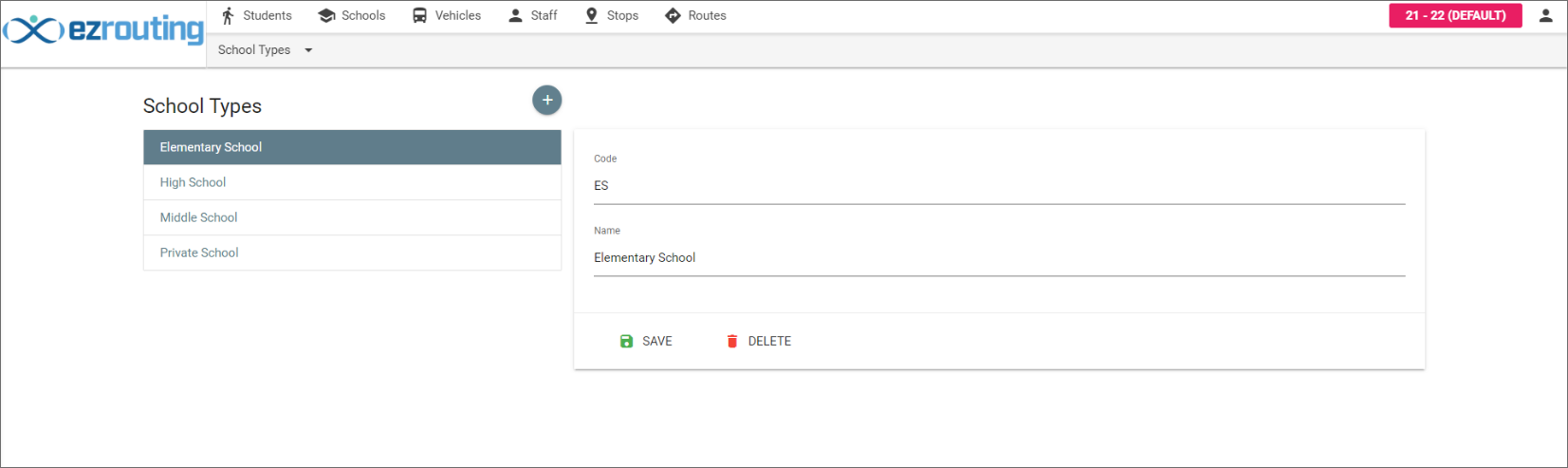
- For example, Code: ES and Name: Elementary School.
- Click Save.
Why School Type Matters
- Used in reporting and filtering
- Drives feed school logic during rollover
- Helps distinguish bell schedules and routing patterns
Updated