Audience: Transportation admins and staff
Purpose: Define arrival and dismissal times that drive route scheduling.
Steps to Add a Bell Time
- Open Schools and select a school.
- Navigate to Bell Times.
- Click Add Bell Time.
- Enter:
- Bell Name (AM Arrival, PM Dismissal, Early Release)
- Time
- Session or Day Type (if applicable)
- Click Save.
Tips
- It is important that the AM and PM bell times be set accurately so proper warnings will appear when creating routes if the route is outside of normal school time. For example, if a route arrived later than the bell time, a warning sign will show up next to the school stop. You can also hover over the warning sign to see the complete warning.
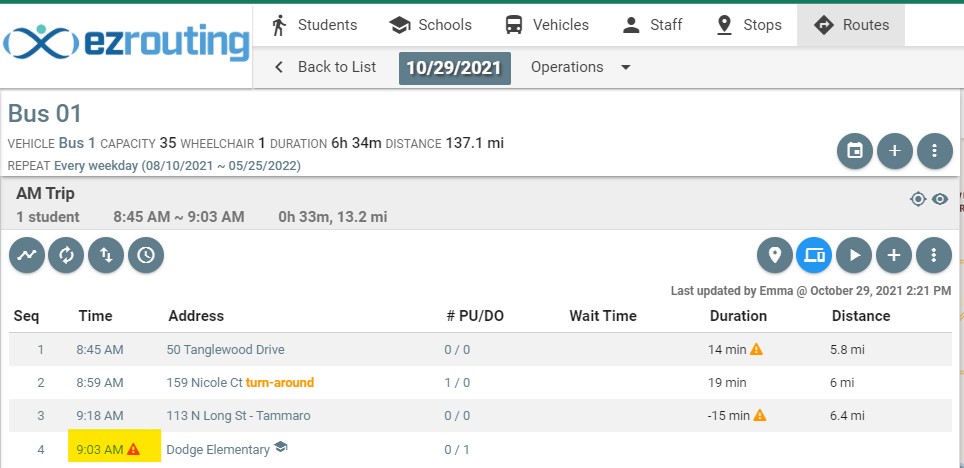
- Add separate bell times for early release or special schedules.
- EZRouting allows you to set multiple bell times. Please note, that each day can only have one bell time plan. So, make sure the recurrences of different bell times are not overlapping.
- Ensure bell times are finalized before optimizing routes.
Updated