Audience: Transportation admins and staff
Purpose: Manually add a new student record in EZRouting. See Student Data & Integrations for more information on adding students via import.
Steps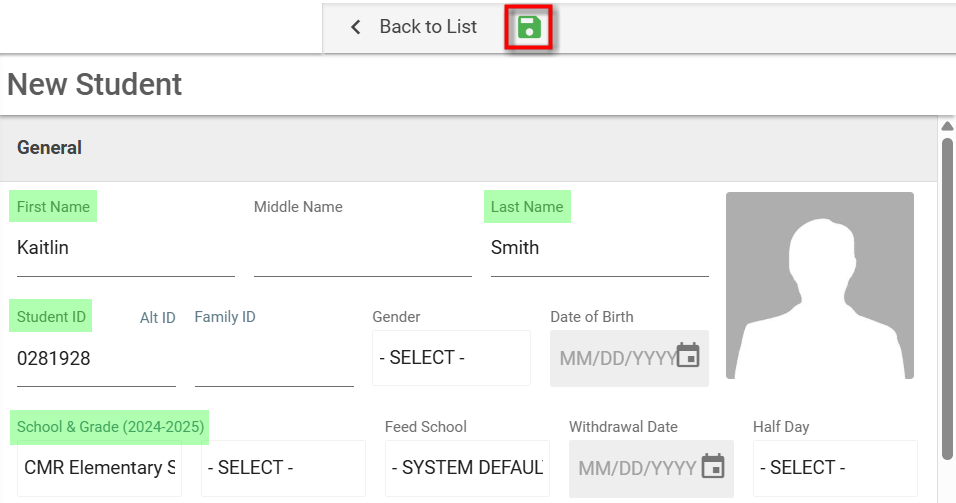
- Click Students in the top navigation bar.
- Loca and click Add (+).
- In the Student Details window, complete the following fields:
- First Name and Last Name (required)
- Student ID (required; must be unique)
- School (select from dropdown)
- (Optional) Grade, Status, Family ID, Custom Fields (UDFs)
- Click Save.
- A confirmation banner appears. The new record opens automatically.
Tips
- Use Family ID to link siblings for shared schedules.
- If the student doesn’t appear in search, check SIS sync or student status.
Updated